No games but still plenty to see.
About Flex
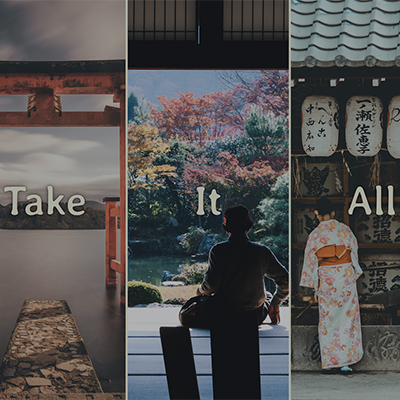
This first JavaScript exercise I did ended up being more CSS than JavaScript, but I didn’t know that ahead of time, and the effect is so nice that I stuck with it. It did encourage me to read up on flex-grow. I was excited to make it my own as well.
The only thing I didn’t really like about the original was the box shadow Wes applied. It made the images read as pixelated to me. I got rid of that first and later added a border on the right of panels 1-4. Another thing I decided to do was change the opacity of the images so that an image is only at full opacity in its open or active state. Of course, I also changed out the fonts and images. I chose images from Japan because I think it’s a beautiful place. I took Japanese during my undergrad years and still intend to visit the country at some point. See it in action >>
About Slide
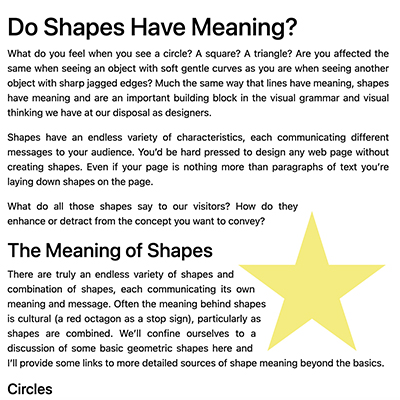
I learned several useful things from this exercise. Opacity is a big player with these JavaScript effects. It absolutely makes sense, but I was surprised that as a designer who frequently plays with opacity, I had never thought too deeply about opacity’s role in website animations before.
I also learned there is a website that will deliver you random placeholder images at a specified size called Lorem Picsum. Wow! I wish I had known about this site sooner. I didn’t want to just switch out the placeholder images Wes used to put my spin on this challenge. In fact, I decided not to use photos at all. I had already been experimenting with clip paths thanks to all the oddly shaped heroes that caught my eye when looking for a theme during Project 3. I decided to use shapes for this challenge, but I know this exercise can be adapted to fade anything in on scroll, and I will definitely be using this JavaScript again soon. See it in action >>

About Stripe
I hadn’t noticed before starting these exercises that Wes moves very quickly — at least if you are trying to do a challenge along with the video, which is how I did all three of mine. I tried to keep up, but he would easily be two lines ahead of me before I knew it, so there was a lot of pausing throughout, especially during this one, which was already fairly long. That said, he explains the how and why behind the most important things, which is very helpful to me because I learn best when I get the nitty-gritty information.
I chose this one initially because navigation is something we are currently discussing at work for our own website(s), and I thought it would be cool to learn about what goes into that. Obviously, this JavaScript could be adapted to things beyond navigation, such as hiding helpful but maybe not critical information in an already text-heavy design (ala our workbook). That is where I went with my version since I don't really do social media and have no courses to promote. I continue to be amazed at what you can make by typing numbers and letters into a machine. See it in action >>